YAML vs JSON: What's the Difference and When to Use Each
YAML and JSON describe the same data in very different styles. Here is how they compare, where each one shines, and how to convert cleanly between them.
By Mubasher Hussain · Published 2026-09-12 · Updated 2026-09-01 · 990 words · about 4 minute read
YAML and JSON keep coming up together because they solve the same problem in opposite ways. Both store structured data, numbers, strings, lists and key-value maps, but JSON is built for machines to exchange while YAML is built for humans to read and edit. Knowing which to reach for, and how to move between them, saves a lot of friction. You can convert either way instantly with the free YAML to JSON Converter.
The same data, two styles
JSON, JavaScript Object Notation, wraps everything in braces, brackets, quotes and commas. It is strict and unambiguous, which is exactly what you want when two programs are passing data back and forth. YAML, which stands for YAML Ain't Markup Language, throws away most of that punctuation and uses indentation and dashes instead. The result reads almost like an outline, which is why configuration files so often use it. Underneath, both describe the identical tree of values, so anything you can write in one you can write in the other.
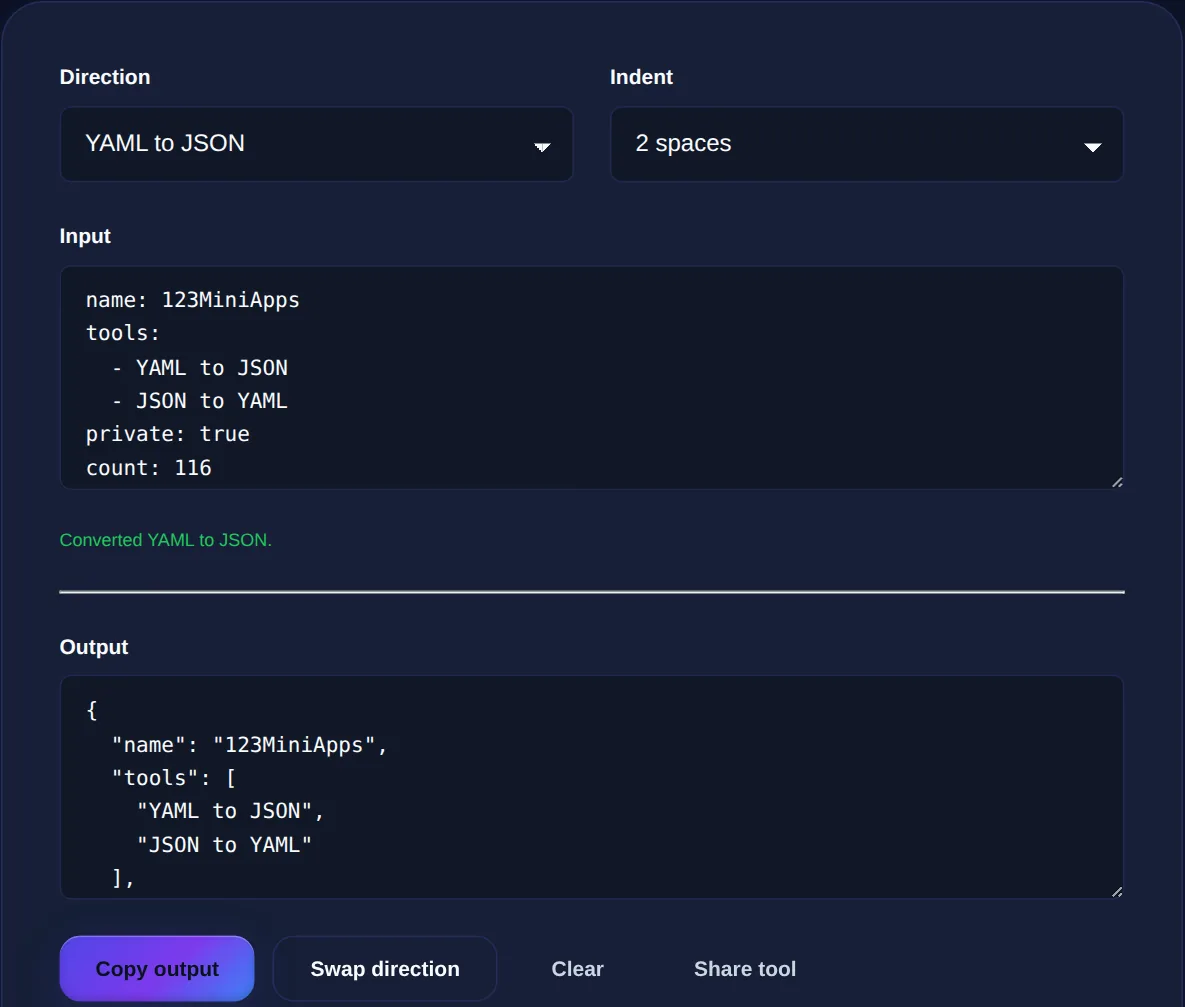
Here is the same small record in each. In JSON you would write a set of braces with quoted keys; in YAML you would write each key on its own line with two-space indentation for anything nested. The YAML version is shorter and easier to scan, while the JSON version is easier for a parser to validate because every boundary is marked explicitly.
| Aspect | JSON | YAML |
|---|---|---|
| Syntax | Braces, brackets, quotes | Indentation and dashes |
| Comments | Not allowed | Allowed with # |
| Readability | Dense | Very readable |
| Best at | Data exchange, APIs | Config files |
Where each one wins
Use JSON when data is moving between systems. It is the native language of web APIs, it parses fast, every language has a battle-tested library for it, and its strictness means fewer surprises. If a service sends or expects JSON, sending it clean JSON is always the right call. JSON is also the safer choice for anything generated by a program and consumed by another program, where readability matters far less than being unambiguous.
Use YAML when a human has to read or edit the file often. Docker Compose files, CI pipelines, Kubernetes manifests and application settings are almost all YAML for one reason: a person can open the file, understand the structure at a glance, and change a value without counting brackets. The ability to add comments is a big part of this, because a config file often needs a note explaining why a setting is what it is, and JSON simply has nowhere to put one.
Paste YAML and get JSON, or switch direction to turn JSON back into YAML. Handles nested maps, lists and inline flow, entirely in your browser.
The gotchas that trip people up
YAML's readability comes at a price: it is whitespace-sensitive, so a single misplaced space can change the structure or break the parse entirely. Tabs are not allowed for indentation, only spaces, and mixing the two is a classic source of confusing errors. Because YAML is lenient about quotes, it also has surprising type coercions. The unquoted word yes can become a boolean true, a version number like 1.20 can lose its trailing zero by becoming the number 1.2, and a value like 08 can error because it looks like an invalid octal. When in doubt, quote strings that could be mistaken for something else.
The most famous YAML surprise is that the country code NO, for Norway, can be read as the boolean false. It is a memorable reminder that if a value must stay a string, you should put it in quotes rather than trust YAML to guess.
JSON has far fewer surprises, but its strictness is its own gotcha. A single trailing comma after the last item in a list or object is invalid JSON, comments are forbidden, and every key must be double-quoted. These rules are exactly what make JSON reliable, but they also make it unforgiving to hand-edit, which is the whole reason people reach for YAML in the first place.
Converting between them
Because both formats express the same underlying structure, converting is really just re-punctuating the same tree. Go from YAML to JSON when you need to feed a config value into an API or a program that expects JSON, and go from JSON to YAML when you want to turn a machine-generated payload into something a person can comfortably edit. A converter parses one format into an in-memory structure and serialises it as the other, preserving the types along the way so a number stays a number and a boolean stays a boolean.
A few advanced YAML features, anchors and aliases for reusing blocks, multi-document files, and custom tags, have no direct JSON equivalent, so they are the one place a straight conversion can lose information. For the everyday config files and data snippets most people work with, though, the round trip is clean and reversible.
Common questions
Is YAML faster than JSON? No, JSON parses faster and is preferred for high-volume data exchange; YAML trades a little speed for readability. Can every YAML file become JSON? Almost, apart from anchors, aliases and multi-document streams, which have no JSON equivalent. Which should I use for a config file? YAML if people edit it by hand and want comments, JSON if a program generates and reads it. Is the converter private? Yes, it runs entirely in your browser.
YAML and JSON are two dialects for the same ideas: pick JSON when machines talk to machines, and YAML when humans are in the loop. When you need to move between them, the YAML to JSON Converter does it both ways, and the JSON Formatter will tidy and validate the JSON side.