Why Formatting Your SQL Makes Queries Easier to Read and Debug
How consistent formatting reveals a query's logic, why long queries become unreadable, and what a formatter standardises.
By Mubasher Hussain · Published 2026-07-27 · Updated 2026-09-01 · 1068 words · about 5 minute read
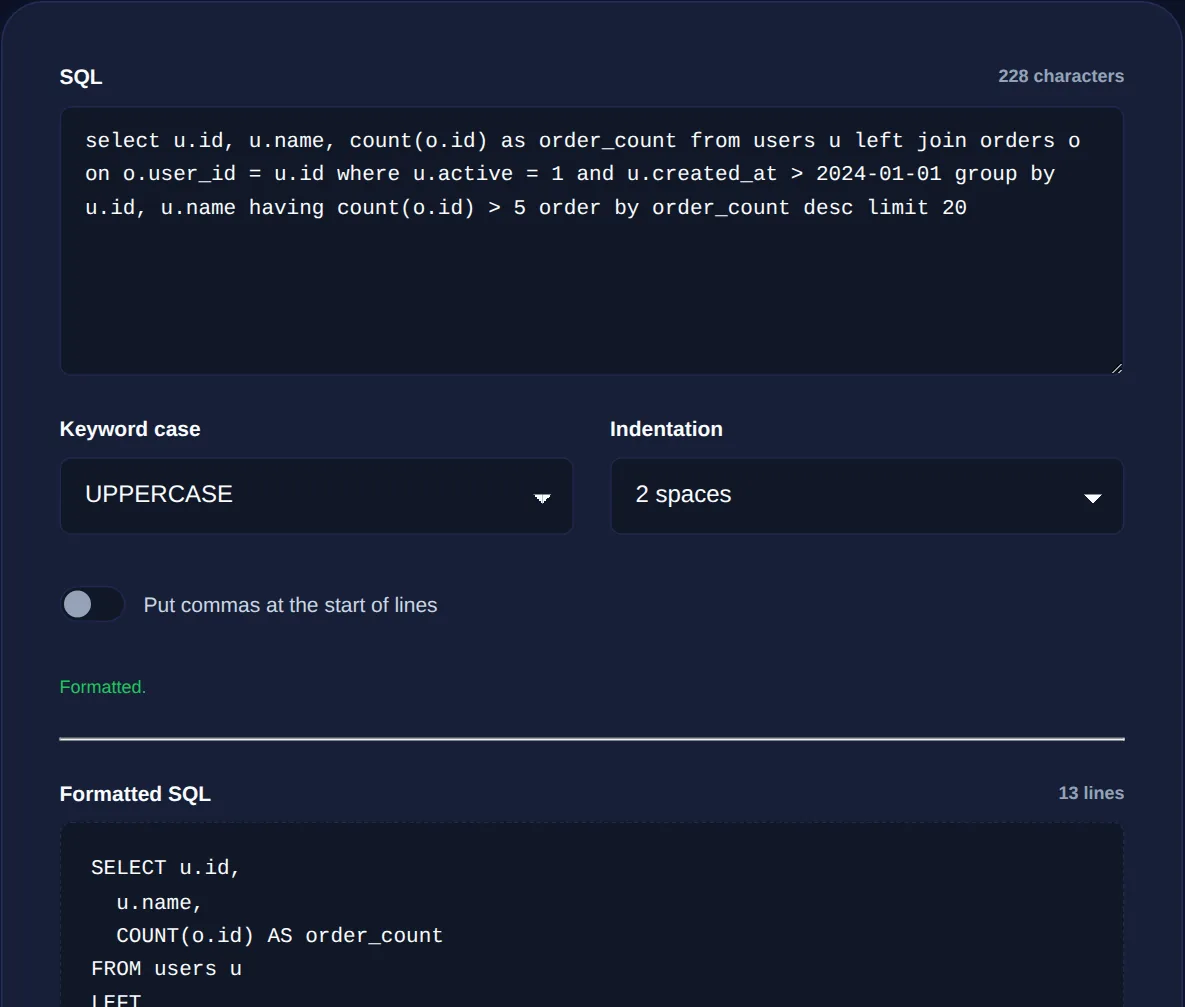
SQL queries start simple and grow complicated. A quick SELECT becomes a query with several joins, a nested subquery, a handful of conditions and a grouping clause, and written as one long line it becomes almost impossible to read. Formatting SQL means laying it out with consistent indentation and line breaks so its logic is visible. The SQL Formatter does this in your browser, and this article explains why readable SQL matters and what a formatter standardises.
Unlike some formatting, SQL formatting is not cosmetic. A well-laid-out query is genuinely easier to understand, review and debug, and the structure often reveals logical mistakes that a cramped one-liner hides.
Why long queries become unreadable
SQL is declarative and clause-based: a query is built from clauses like SELECT, FROM, JOIN, WHERE, GROUP BY and ORDER BY, each doing a distinct job. When these run together on one line, or wrap awkwardly, you cannot tell at a glance where one clause ends and the next begins, which columns are being selected, or which conditions apply. The logic is all there, but it is hidden. Formatting puts each major clause on its own line and indents the details beneath it, so the shape of the query matches its meaning.
What a SQL formatter standardises
A formatter applies a consistent style to several things at once:
- Clause layout: major keywords start new lines, so the query reads top to bottom as a sequence of steps.
- Indentation: joined tables, conditions and grouped columns are indented to show they belong to a clause.
- Keyword casing: keywords are consistently upper- or lower-cased, separating SQL syntax from your table and column names.
- Comma placement and spacing: a uniform style for lists of columns and conditions.
The result is that any query, however it was originally typed, comes out in one predictable house style that everyone on a team can read the same way.
When a query is properly indented, a condition attached to the wrong clause, a join without its expected condition, or a misplaced parenthesis in a subquery becomes visible. Cramped SQL hides these; formatted SQL surfaces them.
Reading complex queries at a glance
The real payoff comes with genuinely complex queries. A formatted query with three joins and a subquery lets you follow the logic step by step: here are the columns we want, here are the tables and how they connect, here are the filters, here is how the results are grouped and ordered. You can review each clause in isolation. When debugging, this makes it far easier to isolate which part of the query is producing an unexpected result, because each part is visually distinct rather than buried in a run-on line.
When to format your SQL
Reformatting a query is worth it whenever a query will be read by a human, which is almost always:
- Before committing a query to a codebase or a migration, so reviewers can read it.
- When debugging a slow or wrong query and you need to understand its structure.
- When inheriting SQL written by someone else in an inconsistent style.
- When copying a query out of application code, where it may have been concatenated into an unreadable string.
Lay out messy SQL with consistent indentation and keyword casing for readability, entirely in your browser. Your query is never uploaded.
SQL among the other data formats
SQL often sits alongside other structured data in a developer's day. Query results are frequently exported as JSON or CSV, and a JSON formatter or CSV to JSON converter helps you inspect that output, just as the SQL formatter helps you read the query that produced it. The same readability principle runs through all of them: structured data and queries are far easier to work with when their layout reflects their structure.
Formatting SQL locally also keeps queries private. A query can reveal your schema, your table and column names, and the logic of your business, details you may not want to paste into an unknown website. A browser-based formatter processes the query on your device, so nothing about your database design leaves your machine.
Formatting SQL you find in application code
Some of the messiest SQL you will ever meet is the kind buried inside application code, where a query has been built by concatenating strings across several lines, sprinkled with quotes and plus signs and variable interpolations. Pulled out of that context, it is often a single unbroken line with no indentation at all, technically valid, humanly unreadable. Running it through a formatter is frequently the only practical way to understand what a query embedded in code actually does before you try to change it.
This comes up constantly during debugging and code review. A slow query flagged by the database, a report returning wrong numbers, an inherited feature nobody fully understands, in each case the first step is to extract the raw SQL and format it so its logic is legible. Once laid out, you can reason about the joins, spot a missing condition, or see that a filter is attached to the wrong clause. It is worth stressing again that doing this locally keeps your schema private: the query names your tables and columns and encodes your business logic, none of which belongs on a stranger's server. A browser-based formatter lets you make even sensitive, proprietary queries readable without exposing the design of your database to anyone.
Keep a formatter within reach for the next time you inherit a tangled query or need to understand your own from six months ago. Laying it out cleanly is usually the fastest first step toward understanding what it does, and doing it locally means your schema and business logic never leave your machine in the process.
In short, SQL's meaning is clause-based, and formatting makes those clauses visible, turning an impenetrable one-liner into a query you can read top to bottom. Format any query a person will read, let the layout expose logic mistakes, and keep a consistent style across your team. Readable SQL is easier to review, faster to debug, and less likely to hide the small errors that produce wrong results.