Meta Tags Explained: Title, Description and Open Graph
What the title and description tags control, why Open Graph shapes your social previews, and how to write them well.
By Mubasher Hussain · Published 2026-08-01 · Updated 2026-09-01 · 1134 words · about 5 minute read
Meta tags are snippets of information in a web page's code that describe the page to search engines and social networks rather than to visitors reading the page. The most important are the title tag, the meta description, and the Open Graph tags that control how a link looks when shared. Getting them right strongly affects how many people click through from search and social. The Meta Tag Generator builds them in your browser, and this article explains what each does and how to write it.
These tags are invisible on the page itself but highly visible where it matters: in search results and in the preview card that appears when your link is posted anywhere. They are among the highest-leverage things you control, because they shape the first impression of your page before anyone visits it.
The title tag
The title tag is the single most important meta tag. It provides the clickable headline shown in search results, the name that appears in the browser tab, and the default title when the page is bookmarked or shared. Search engines weigh it heavily as a signal of what the page is about, and users decide largely on the strength of it whether to click. A good title is concise, accurately describes the page, includes the main keyword naturally near the front, and reads as something a person would want to click, not a stuffed list of terms. Aim to keep it within roughly 50 to 60 characters so it is not truncated in results.
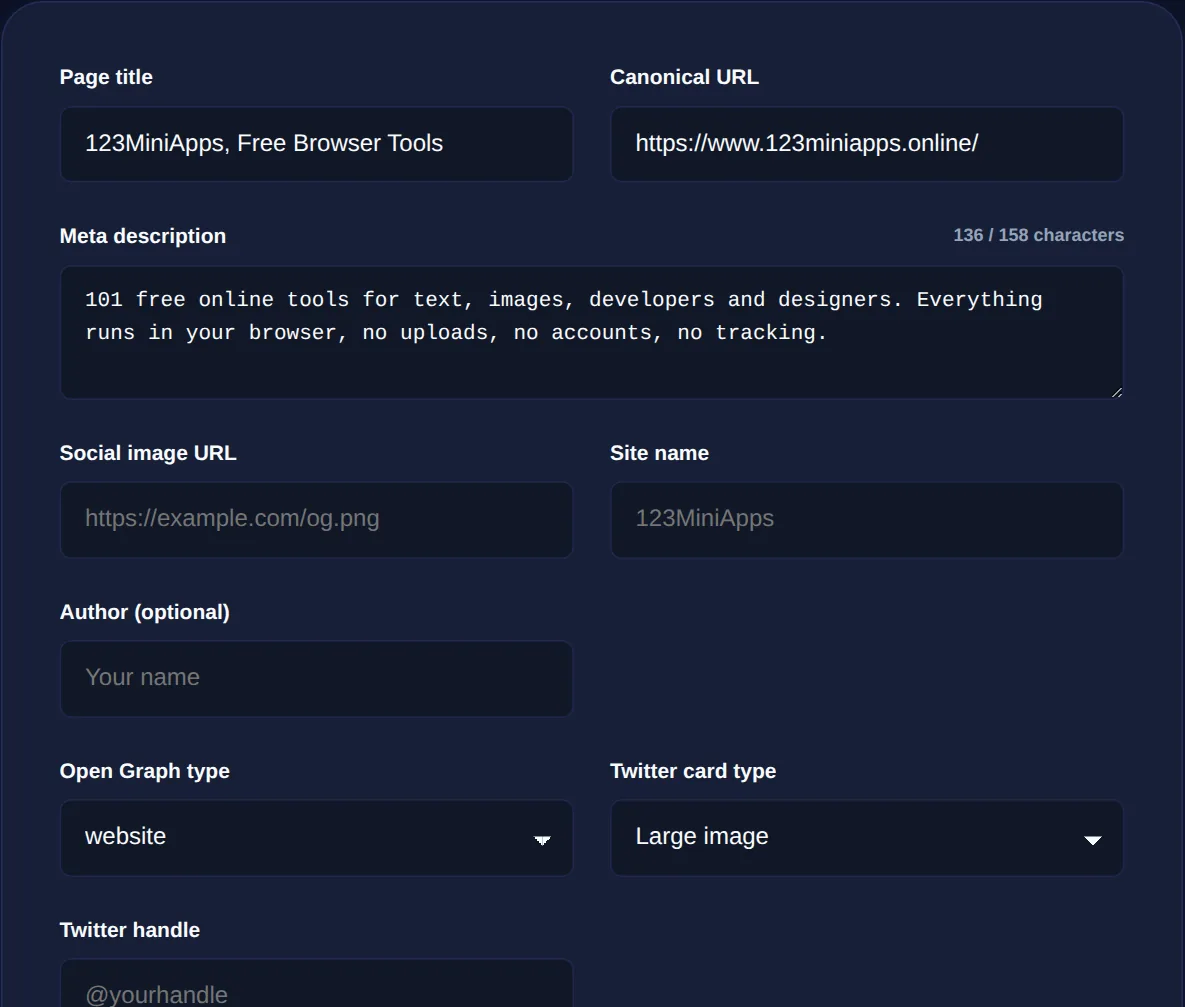
The meta description
The meta description is the short paragraph shown beneath the title in search results. It is not a direct ranking factor, but it is effectively ad copy for your page: a compelling, relevant description raises the click-through rate, while a missing or generic one wastes the opportunity. Write it as a clear, inviting summary that includes the main keyword and gives the searcher a concrete reason to click. Keep it to about 150 to 160 characters so it displays in full. If you leave it blank, search engines will generate one from the page, usually less persuasively than you could.
Titles and descriptions are measured in characters and truncated if too long, so a character counter helps you write to the limit. But the real goal is a title and description a human wants to click, accurate, specific and inviting, not keyword soup.
Open Graph: controlling social previews
When someone shares your link on social media or in a messaging app, the rich preview card, with an image, title and description, is generated from Open Graph tags. Without them, the platform guesses, often picking the wrong image or an unhelpful snippet. With them, you control exactly how your page appears: a compelling image, a punchy title, and a description tuned for social rather than search. The key Open Graph tags specify the title, description, a preview image (at the right dimensions, typically around 1200 by 630 pixels), and the page's URL and type. A related set of Twitter Card tags does the same for that platform. Because a good preview card dramatically increases how often a shared link is clicked, these tags are well worth setting.
How the tags work together
The three families of tag serve overlapping but distinct audiences. The title tag and meta description target search results and are optimised for search intent. The Open Graph and Twitter tags target social sharing and are optimised for scroll-stopping appeal. They can differ, a title tuned for search keywords and an Open Graph title tuned for shareability, though many pages sensibly reuse the same strong title across both. A generator makes it easy to produce the full set consistently, filling in the repetitive parts and letting you focus on the wording that matters.
Generate title, description and Open Graph meta tags for any page, ready to paste into your HTML, entirely in your browser.
Meta tags in a wider SEO picture
Meta tags are one part of on-page optimisation. The page's URL should be a clean, readable slug; the content itself should use its target keywords naturally, which a keyword density checker helps you verify without overdoing it; and the character limits on titles and descriptions are best hit precisely with a character counter. Together these make a page both understandable to search engines and appealing to the humans deciding whether to click.
Other meta tags worth knowing
Beyond the title, description and Open Graph tags, a handful of other meta tags do quiet but important jobs. The viewport tag tells mobile browsers how to scale the page and is essential for responsive design, without it, a site renders as a shrunken desktop version on phones. The charset tag declares the character encoding so text renders correctly. The canonical tag tells search engines which version of a page is the definitive one when similar content exists at multiple URLs, preventing duplicate-content confusion. And the robots meta tag can instruct search engines whether to index a page and follow its links.
Most of these are set once and rarely thought about again, but getting them wrong causes real problems: a missing viewport tag breaks mobile layout, a wrong canonical tag can hide the page you actually want ranked, and a stray 'noindex' robots tag can quietly remove a page from search entirely. This is one reason a generator that produces a complete, correct set of head tags is valuable, it ensures the routine tags are present and correct alongside the title and description you are actively crafting. When you set up a page, it is worth confirming that the essential technical tags are in place and that the canonical and robots directives say what you intend, because these invisible instructions shape how the whole page is treated by browsers and search engines. The visible title and description get the attention, but the supporting tags are what ensure the page is even eligible to perform well in the first place.
To recap: the title tag is your page's headline in search and the strongest on-page signal of its topic; the meta description is the persuasive snippet beneath it; and Open Graph tags control the preview card when your link is shared. Write each for its audience, accurate and keyword-aware for search, compelling and visual for social, keep them within their character limits, and generate the full set consistently. These small, invisible tags do an outsized amount of the work of turning a search result or a shared link into an actual visit.