Character Count for Tweets, Meta Descriptions & SMS: Why Limits Matter
Why so many fields cap characters rather than words, the limits worth memorising, and how to write to them without cutting corners.
By Mubasher Hussain · Published 2026-07-25 · Updated 2026-09-01 · 1050 words · about 5 minute read
Words are how we think about writing, but a huge number of digital fields are governed by characters instead: tweets, SMS messages, meta descriptions, page titles, form fields, database columns. When a box has a character limit, going one character over can truncate your message, break a layout or get your text rejected. A Character Counter shows the exact count as you type, so you can write right up to the limit without going past it.
This article explains why so many systems count characters rather than words, lists the limits worth knowing, and offers a practical approach to writing tight, complete text that fits.
Why characters, not words
Systems count characters because that is what they actually store and transmit. A database column reserves a fixed number of characters. An SMS is broken into segments of a fixed character length. A search engine has a limited pixel width for a title, which corresponds roughly to a character count. Words are too variable in length to be a reliable unit for these purposes, "a" and "internationalisation" are both one word, so the underlying limit is almost always in characters.
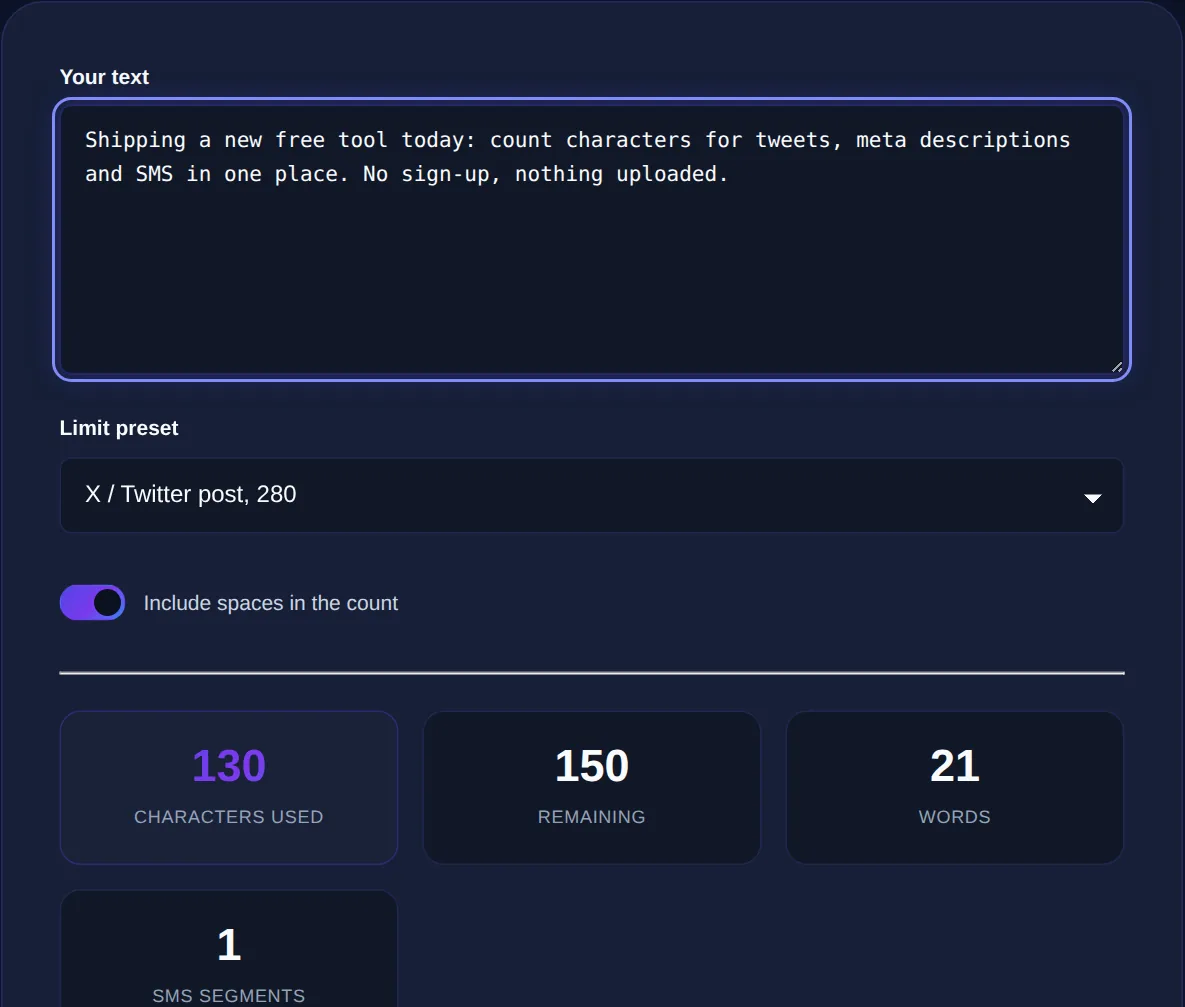
This is also why character counters usually show two numbers: characters with spaces and characters without. Most limits count spaces (they take up storage and width like any other character), so the "with spaces" figure is the one you normally care about.
The limits worth memorising
A handful of character limits come up constantly. Exact numbers shift as platforms change, so treat these as practical guidance rather than gospel, but they are close enough to write to:
- SEO title tag: aim for roughly 50–60 characters before it gets truncated in search results.
- Meta description: around 150–160 characters is the usual safe zone.
- Standard SMS: 160 characters per segment; longer messages split into multiple segments.
- Classic tweet: 280 characters on the free tier.
- Open Graph / social preview titles: keep under about 60–70 characters so they do not clip.
For anything with SEO impact, a meta tag generator that shows the character count while you write titles and descriptions keeps you inside the limits without constant re-checking.
Some characters cost more than one "unit" behind the scenes. In SMS, using an emoji or certain accented letters can switch the message to a mode with a much smaller per-segment limit. And an emoji that looks like a single glyph may be several code units. If your text has emoji, expect the effective limit to be lower.
Writing to a character limit without cutting corners
Hitting a tight character limit is a writing skill, not just a counting one. The goal is to say the whole thing in less space, not to chop off the end. A few reliable moves:
- Lead with the most important words, if it gets truncated, the key message still survives.
- Cut filler: "in order to" becomes "to," "due to the fact that" becomes "because."
- Prefer short synonyms and active voice, which is naturally more compact.
- Remove redundancy, if the brand name is obvious from context, it may not need repeating.
- Read it back to make sure the trimmed version still makes sense on its own.
For longer source material that has to be squeezed into a description or preview, a summariser can give you a tight first draft to trim down to the exact count.
Characters vs words: use the right counter
Reach for a character counter when a field has a hard character cap, social posts, meta tags, SMS, form fields with a maxlength. Reach for a word counter when the target is expressed in words, essays, articles, speeches. Many tools show both at once, which is handy because you often care about one while keeping half an eye on the other.
See characters with and without spaces, plus words and lines, updating live as you type. Everything runs in your browser and nothing is uploaded.
The bottom line
Why titles are really measured in pixels
There is a subtlety behind the SEO title limit worth understanding: search engines do not actually cut titles at a fixed character count, they cut them at a fixed width. A title made of narrow characters like "i," "l" and "t" can fit more letters than one full of wide characters like "m," "w" and capitals before it gets truncated with an ellipsis. This is why two 60-character titles can behave differently in results, one shows in full, the other clips.
The character count is a practical proxy for that width, which is why guidance is usually given as a range (roughly 50 to 60 characters) rather than a hard number. The safe approach is to treat the lower end as your target and front-load the important words, so that even if the title is trimmed, the part that survives still carries the message and the keyword. The same principle applies to meta descriptions and social previews: write for the smaller estimate, put the essential words first, and you will never be caught out by a truncation you did not expect.
Ultimately, character limits reward writers who respect brevity. The constraint is not an obstacle to work around but a discipline that produces sharper text: a title forced into sixty characters is usually clearer than one allowed to sprawl, and a description trimmed to a hundred and fifty says its piece without wandering. Keep a live counter in view, treat the limit as a target rather than a ceiling you creep up to, and front-load the words that carry meaning. Do that and your text will not only fit the box, it will read better for having been made to.
Character limits are everywhere in digital writing, and treating them as a hard constraint from the start, rather than discovering you are over after you have written, makes the whole job easier. Keep the Character Counter open while you draft titles, descriptions and posts, write the most important words first, and trim for meaning rather than just chopping the tail. Your message will fit and still say what it needs to.