How to Calculate the Number of Days Between Two Dates
The number of days between two dates is the count of days from the earlier date to the later one. Here is how to count them, whether to include the end date, and how business days differ from calendar days.
By Mubasher Hussain · Published 2026-07-28 · Updated 2026-10-03 · 1184 words · about 5 minute read

Finding the number of days between two dates comes up constantly, how long until a deadline, how many days a project ran, the notice period on a contract, the gap between two events. It sounds like simple counting, but doing it by hand across month boundaries and leap years is error-prone, and there is a subtle question of whether to count both end dates or not. The Date Difference Calculator does it precisely in your browser, and this article explains the pitfalls and how to get an accurate answer.
The core of the calculation is straightforward, count every day from the first date to the second, but the calendar's irregularities make the manual version harder than it appears, and the inclusive-versus-exclusive choice changes the result by a day.
Why counting by hand goes wrong
Counting days manually means stepping through months of different lengths, 28, 29, 30 or 31 days, and remembering leap years, which add a day to February every four years. Over a span of several months or years, it is very easy to miscount by a day or two, especially around February and year boundaries. This is not carelessness; the calendar is genuinely irregular. A calculator sidesteps the problem by knowing exactly how many days each month and year contains, so it counts correctly across any span, however long.
Inclusive versus exclusive counting
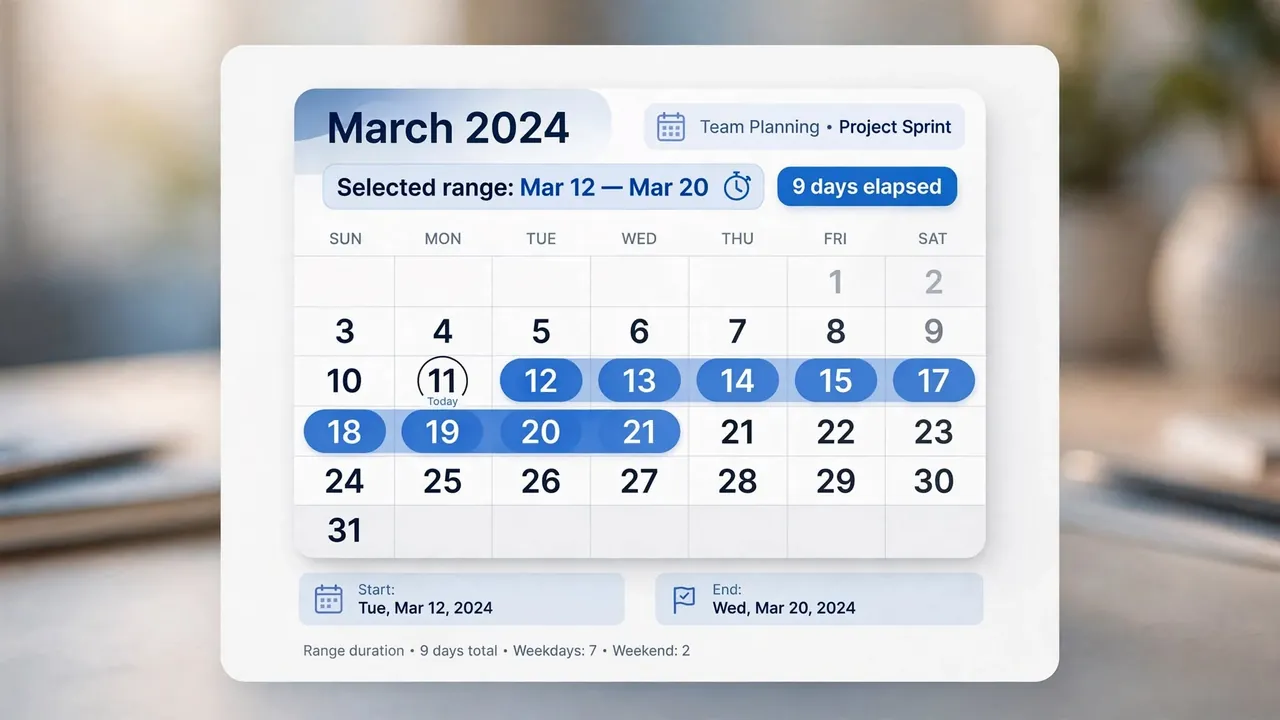
There is a real ambiguity in "days between" that causes disputes: do you count both the start and end dates, or just the gap between them? The difference between Monday and Wednesday is two days if you count the gap (the nights in between) but three days if you count Monday, Tuesday and Wednesday inclusively. Neither is wrong, they answer slightly different questions, but you must be clear which you mean. Contracts, notice periods and rental durations often specify inclusive counting, while a plain "how many days until" is usually the exclusive gap. A good calculator can show both so you can pick the one your situation needs.
"Three days" can mean different things depending on whether the start and end dates are included. For anything with consequences, a deadline, a notice period, a booking, state explicitly whether both dates count, to avoid a costly off-by-one misunderstanding.
Business days versus calendar days
Many practical questions care about working days, not every day. A "five business days" delivery estimate skips weekends, and often public holidays too, so five business days can span a full week or more of calendar days. Calculating this by hand means counting off weekends and holidays across the span, which is fiddly. When a deadline or estimate is expressed in business days, you need to convert carefully to a calendar date, and a calculator that excludes weekends removes the risk of landing on the wrong day by forgetting a Saturday or a holiday.
Where the calculation matters
Accurate day counts underpin a wide range of everyday and professional tasks:

- Counting down to a deadline, event or launch.
- Working out notice periods, contract durations and rental lengths.
- Calculating how long a project, subscription or free trial has run.
- Measuring the interval between two historical dates.
- Planning around delivery or processing times quoted in days.
Count the exact number of days, or weeks and months, between any two dates, entirely in your browser. Your dates are never uploaded.
Part of the date-calculation family
The day-counting calculation is closely related to other date tools. Working out someone's exact age is the same arithmetic applied from a birth date to today, which an age calculator handles. Counting down to a future date in real time is a countdown timer, and converting dates to and from the absolute numbers software uses involves timestamps. All rely on the same careful handling of months and leap years.
Counting toward a future deadline
One of the most common reasons to count days is to plan toward a future deadline, and here the inclusive-versus-exclusive question becomes practical rather than academic. If a task is due "in ten days," does today count as day one, or does the count start tomorrow? Different people and different contracts answer differently, and the gap of a single day can mean submitting on time or a day late. The safe approach when a deadline matters is to pin it to an actual calendar date, work out the specific due date rather than carrying "ten days" in your head, so there is no ambiguity about when the clock started.
This is also where business-day counting matters most, because a deadline expressed in working days lands on a different calendar date depending on the weekends and holidays in between. A "within five business days" response time starting on a Thursday does not mean the following Tuesday; it skips the weekend and lands later. Miscounting these is a common cause of missed deadlines and disputes over whether something was delivered on time. The reliable method is to convert the deadline to a fixed calendar date at the outset, using a calculator that can exclude weekends where relevant, and then work toward that concrete date. Turning a vague "in X days" into a specific date on the calendar removes the off-by-one risk entirely and gives everyone involved the same clear target, which is exactly what you want whenever a deadline carries real consequences.
In summary, the number of days between two dates is exact counting made tricky by the calendar's uneven months and leap years, plus the genuine ambiguity of whether to count both end dates. Decide whether you need an inclusive or exclusive count, and whether calendar or business days matter, then let a calculator handle the arithmetic so you are not caught by an off-by-one error. Getting the count right matters most precisely where the stakes are highest, deadlines, contracts and notice periods, which is exactly where a manual miscount is easiest to make.
Business days versus calendar days
Calendar days count every day in the span, including weekends and holidays. Business days count only working days, usually Monday to Friday, and often skip public holidays too. The difference matters a lot for things like shipping estimates, payment terms and project deadlines, where only working days move the timeline forward. As a rough guide, a span of calendar days contains about five business days for every seven, so a 30-day window is roughly 21 to 22 business days before you remove any holidays. When a deadline is quoted in business days, always convert carefully rather than assuming it is the same as the calendar gap, because over a long period the two drift apart by several days.