The cron mistake that runs your job far more often than you intended
When both day fields are restricted, cron runs the job if either matches, not both. This is not a bug, and it surprises nearly everyone.
By Mubasher Hussain · Published 2026-03-04 · Updated 2026-09-01 · 1119 words · about 5 minute read
Consider this crontab line, intended to run a job on the first Monday of each month:
0 0 1 * 1It does not do that. It runs at midnight on the 1st of every month, and also every Monday. In a typical month that is around five runs instead of one.
This is documented behaviour, not a bug, and it catches almost everyone the first time.
The rule
Cron has five fields: minute, hour, day-of-month, month, day-of-week. Four of them combine with AND, exactly as you would expect. The two day fields are the exception.
- If both day-of-month and day-of-week are restricted (neither is
*), cron runs the job when either matches. - If only one is restricted, only that one applies.
- If neither is restricted, the job runs every day.
The historical reason is that the original Unix cron was written to make schedules like "the 1st and the 15th, and also every Friday" expressible in a single line. It is a deliberate design choice that has confused people for over four decades.
Standard cron simply cannot express "the first Monday of the month". You must schedule it for every Monday and put a date check inside the job itself, or use a scheduler that supports richer expressions.
The workaround
Schedule the broader condition in cron and narrow it in the job. For the first Monday:
- Schedule for every Monday:
0 0 * * 1 - At the top of the script, check whether the day of the month is 7 or less.
- Exit early if it is not.
This is slightly inelegant and completely reliable. Some cron implementations, notably Quartz and several cloud schedulers, support a # syntax for this (MON#1 meaning the first Monday), but standard Unix cron does not.
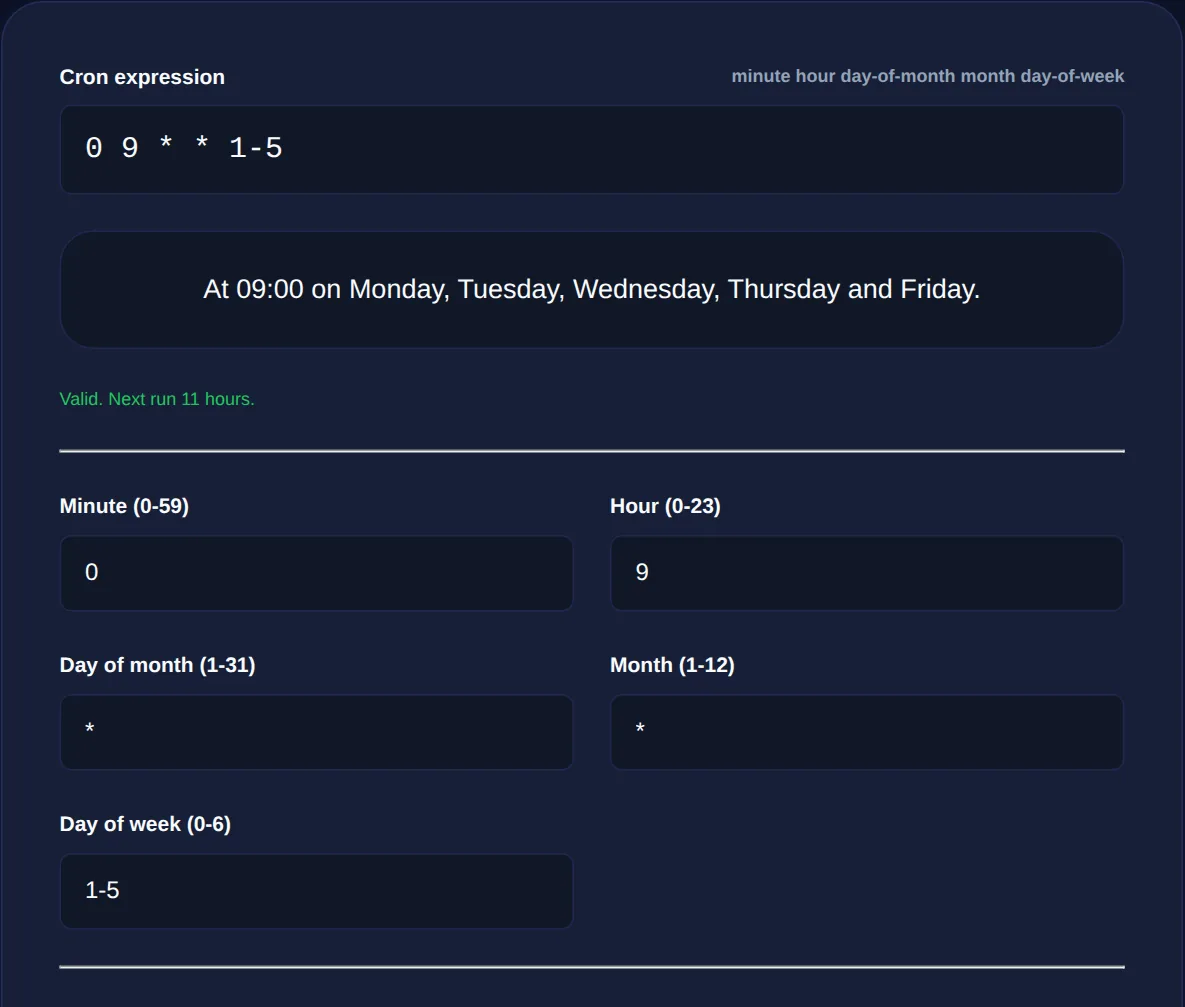
Explains any expression in plain English, calculates the next five run times from your system clock, and explicitly flags the OR condition when both day fields are restricted.
Reading the rest of the syntax
| Symbol | Meaning | Example |
|---|---|---|
* | Every value | * * * * *: every minute |
, | A list | 0 9,17 * * *: 9am and 5pm |
- | A range | 0 9 * * 1-5: 9am on weekdays |
/ | A step | */15 * * * *: every 15 minutes |
Day-of-week runs 0 to 6 with Sunday as 0. Some implementations also accept 7 for Sunday, which is a portability hazard worth avoiding. Month is 1 to 12, and hour is 0 to 23, there is no 24.
The daylight saving problem
Cron uses the server's local timezone, and this causes two distinct failures twice a year.
In spring, when clocks jump forward, an hour simply does not exist. A job scheduled for 02:30 in a timezone that skips from 02:00 to 03:00 does not run at all that day. Some cron implementations compensate by running it immediately after the jump; others do not. The behaviour is not consistent across systems.
In autumn, when clocks go back, an hour repeats. A job scheduled for 01:30 may run twice. If that job charges customers, sends emails or processes a queue non-idempotently, running it twice is a real problem.
The fix is straightforward: avoid scheduling anything between 01:00 and 03:00, or set the server to UTC and do timezone conversion inside the application. Most production systems do the latter, and it is the more robust answer.
Overlapping runs
Cron does not know or care whether the previous run has finished. A job scheduled every minute that takes ninety seconds will start a second copy before the first completes, then a third, and so on until the machine runs out of memory.
This is one of the most common ways a cron job takes down a server, and it usually happens long after deployment, the job was fast when it was written and got slower as the data grew.
Guard against it with a lockfile. The flock utility does this in one line and is available on essentially every Linux system: wrap the command so a second instance simply exits rather than piling up.
Three more things that bite
- The environment is minimal. Cron does not load your shell profile, so
PATHis short and your usual environment variables are absent. A script that works interactively and fails under cron is nearly always this. Use absolute paths. - Output goes to email. Anything a job writes to stdout or stderr is mailed to the crontab owner. If no mail system is configured, that output vanishes silently, which is why a failing cron job can be invisible for months. Redirect to a log file.
- The percent sign is special. In a crontab,
%is translated to a newline. This breaksdateformat strings in particular, and must be escaped as\%.
When not to use cron
Cron is excellent for simple, periodic, independent tasks on a single machine. It is a poor fit for anything with dependencies between jobs, anything needing retries on failure, anything requiring visibility into whether a run succeeded, and anything that must run exactly once across a fleet of servers.
How to write cron schedules you can trust
The safest habit with cron is to change one field at a time and read the whole expression back in plain English before you save it. Cron's five fields, minute, hour, day-of-month, month, day-of-week, are terse, and a single misplaced value can turn "every Monday at 9" into "every day at 9" without any visible error. Because a wrong schedule usually fails silently, running too often or not at all rather than throwing an error, the mistake is often discovered only when something important did not happen.
Two rules prevent most disasters. First, avoid setting both day-of-month and day-of-week unless you genuinely understand that cron treats them as OR, not AND, the combination runs on either match, not both. Second, remember that both 0 and 7 mean Sunday, so a range like 1-7 covers the whole week with Sunday represented twice. When in doubt, build the expression with a tool that shows the next few run times in real dates, so you can confirm the schedule does what you meant before it goes live.
If you find yourself building retry logic and alerting into cron jobs, that is the signal to move to a real scheduler. But for "rotate the logs at 3am", cron remains exactly the right tool, and has been for fifty years.