HTTP Status Codes Explained: What 404, 301 and 500 Really Mean
HTTP status codes are three-digit numbers a server returns with every response: 2xx means success, 3xx means redirect, 4xx means the request was wrong (like 404 not found), and 5xx means the server failed (like 500 internal error).
By Mubasher Hussain · Published 2026-07-25 · Updated 2026-10-08 · 1082 words · about 5 minute read
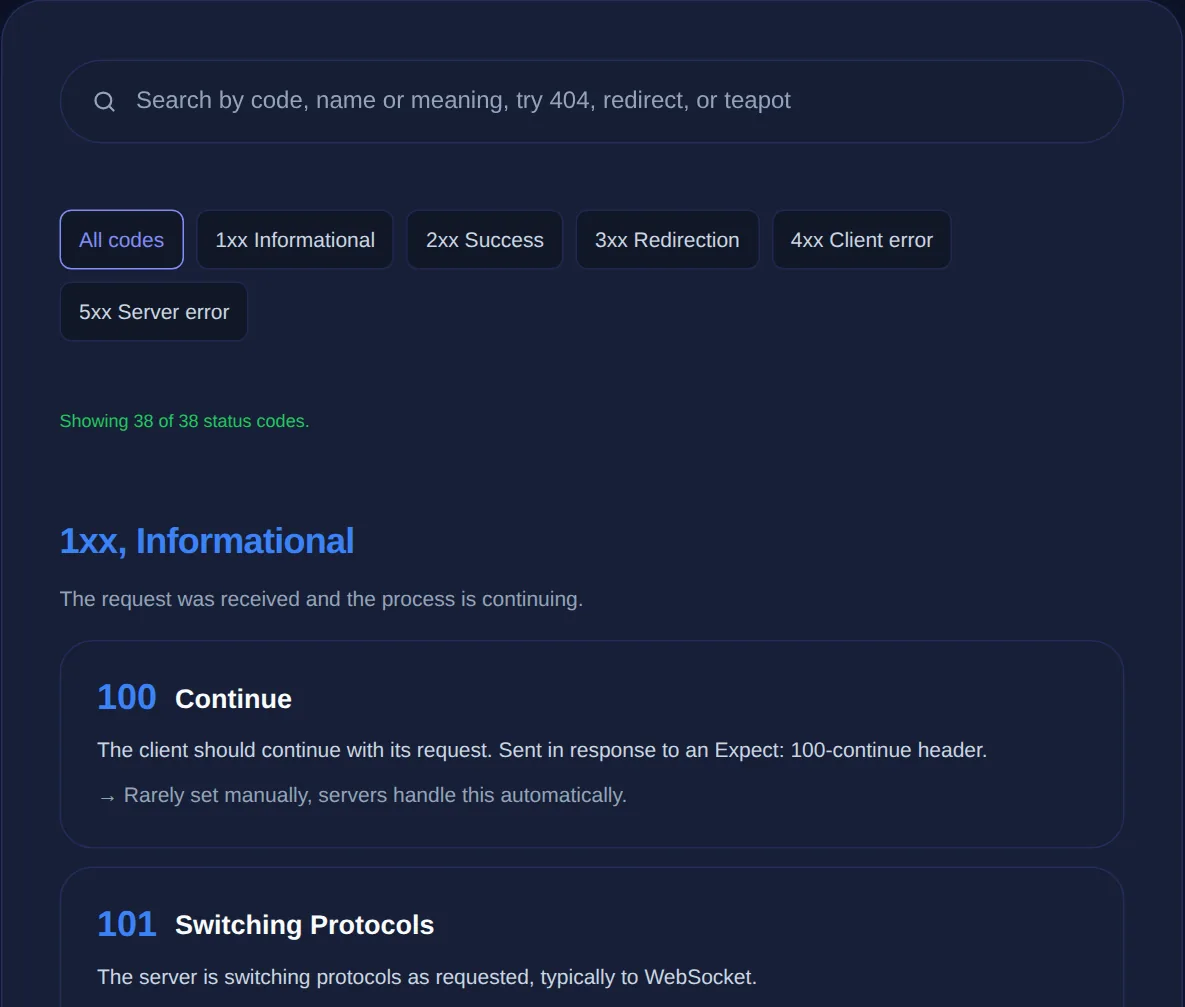
Every time your browser requests a web page or an app calls an API, the server replies with a three-digit HTTP status code that says what happened. 200 means success, 404 means not found, 500 means the server broke. These codes are the shared vocabulary of the web, and understanding them turns a cryptic error into a clear diagnosis. The HTTP Status Codes reference lists them all, and this article explains how they are organised and which ones you will actually meet.
The codes are not random numbers, they are grouped into five ranges by their first digit, and knowing what each range means lets you understand any code even if you have never seen it before.
The five classes of status code
The first digit tells you the category of response:
- 1xx Informational: the request was received and the process is continuing. Rarely seen directly.
- 2xx Success: the request succeeded.
200 OKis the everyday case. - 3xx Redirection: further action is needed, usually following a redirect to another URL.
- 4xx Client error: the request was faulty: wrong URL, missing permission, bad input. The problem is on the requester's side.
- 5xx Server error: the request was fine but the server failed to fulfil it. The problem is on the server's side.
That client-versus-server split in the 4xx and 5xx ranges is the most useful distinction of all: it immediately tells you which side to investigate.
The codes you will actually meet
A handful of specific codes account for most of what you will encounter:
- 200 OK: success; the normal response for a working page or API call.
- 301 Moved Permanently: this URL has permanently moved; update your links and let search engines pass authority to the new one.
- 302 Found: a temporary redirect; the original URL still applies in the long run.
- 404 Not Found: the requested resource does not exist at that URL.
- 403 Forbidden: the resource exists but you are not allowed to access it.
- 500 Internal Server Error: a generic server-side failure.
- 503 Service Unavailable: the server is temporarily overloaded or down for maintenance.
A 301 permanent redirect tells search engines to transfer ranking to the new URL; a 302 temporary redirect does not. Using the wrong one during a site move can cost you search visibility. When a move is permanent, use 301.
Reading codes to diagnose problems
The class of a status code points straight at where to look. A 4xx means the request was wrong, so check the URL, the parameters, the authentication, or the data you sent. A 5xx means the server failed, so the fix is on the server side, check its logs, its resources, its dependencies. A 3xx means a redirect is involved, which matters when a request is not ending up where you expect. This triage, client error, server error, or redirect, is often the fastest first step in debugging any web request.
Status codes in APIs
Status codes are just as central to APIs as to web pages. A well-designed API uses them precisely: 200 for a successful read, 201 for a created resource, 400 for invalid input, 401 for missing authentication, 403 for insufficient permission, 404 for a missing resource, 429 when you have made too many requests. Reading these correctly is essential when integrating with any service, because they tell you not just that something failed but why, and therefore how to fix your request.
A searchable reference to every HTTP status code and what it means, right in your browser, handy whenever a response leaves you guessing.
A shared language worth knowing
Because status codes are standardised, they mean the same thing across every server, framework and language, which is what makes them so valuable to learn once. When you are debugging alongside other tools, decoding a JWT to check authentication behind a 401, or inspecting an encoded URL behind a 404, the status code is the thread that ties the investigation together.
Status codes, caching and the browser
Beyond signalling success and failure, status codes drive real browser behaviour, which is why using the right one matters. A 301 permanent redirect is cached aggressively by browsers, once a browser learns that a URL has permanently moved, it may stop requesting the old one entirely and go straight to the new location, sometimes for a very long time. This makes 301 powerful but unforgiving: set one up by mistake and visitors can keep being redirected long after you have removed the rule. A 302 temporary redirect, by contrast, is not cached the same way, which is exactly why it exists for genuinely temporary moves.
Other codes interact with caching and retries too. A 304 Not Modified tells the browser its cached copy is still current, saving a full download, a quiet workhorse behind fast repeat visits. A 429 Too Many Requests signals that a client should slow down and try again later, often with a hint about how long to wait, and well-behaved clients respect it rather than hammering the server. Understanding these behaviours turns status codes from passive labels into active tools: choosing the correct code shapes how browsers, proxies and API clients treat your responses. Getting them right is part of building a site or API that is fast, correct and considerate of the systems talking to it.
Keep a reference handy for the codes you meet less often, and internalise the five classes so you can interpret any response at a glance. Whether you are debugging a broken link, a failing API call or a redirect that loops, the status code is almost always your first and most reliable clue about what went wrong and where to look.
To sum up: HTTP status codes are the web's standard way of reporting what happened to a request, organised into five classes by their first digit. Learn the classes and you can interpret any code; learn the dozen or so common ones and you can diagnose most everyday problems at a glance. The difference between 301 and 302, or between a 4xx and a 5xx, is often the single most useful clue you have when something on the web is not behaving.