How to Calculate Sales Tax and VAT (Adding and Reversing)
How to add tax to a price, the right way to work backwards and strip tax out of a total, and why subtracting the percentage gives the wrong answer.
By Mubasher Hussain · Published 2026-09-09 · Updated 2026-09-01 · 1001 words · about 4 minute read
Sales tax and VAT look like simple percentages, and adding them is indeed easy. But the moment you need to work backwards, to find out how much tax is already baked into a total, most people reach for the wrong operation and get an answer that is close enough to look right and wrong enough to matter. This guide covers both directions properly: adding tax to a price, and correctly extracting tax from a gross total. You can check every figure with the free Sales Tax Calculator.
Adding tax: the easy direction
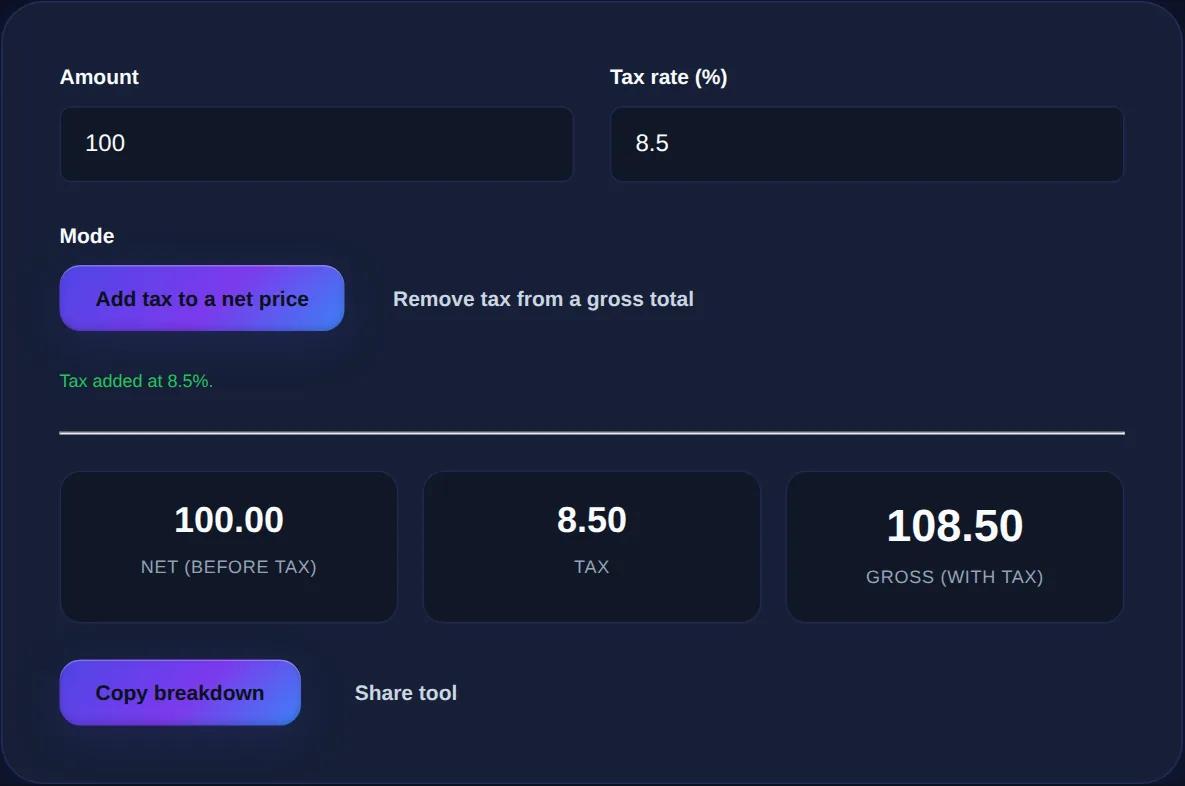
Start with the forward calculation, which is the one most people know. You have a net price, the amount before tax, and you want the total a customer pays. Convert the tax rate to a decimal by dividing by 100, multiply the price by it to get the tax, and add that to the price. A 100 item at an 8.5 percent rate: the tax is 100 times 0.085, which is 8.50, and the total is 108.50. Equivalently, you can multiply the price by 1.085 in one step to get the gross directly. Both routes give the same 108.50.
| Step | Calculation | Result |
|---|---|---|
| Net price | given | 100.00 |
| Tax | 100 x 0.085 | 8.50 |
| Gross total | 100 + 8.50 | 108.50 |
Reversing tax: the direction people get wrong
Now the hard direction, and the reason this article exists. You have a gross total that already includes tax, common with VAT, where displayed prices are tax-inclusive, and you want to know how much of it is tax. The instinct is to take the tax percentage of the total and subtract it. That is wrong, and here is why: the tax was originally calculated on the smaller net price, not on the larger gross total, so taking the percentage of the gross overstates it.
The correct method is division. If a total of 108.50 includes 8.5 percent tax, the net price is the total divided by 1.085, which is exactly 100.00, and the tax is the difference, 8.50. Compare that with the wrong method: 8.5 percent of 108.50 is 9.22, which is too high by 72 cents on a small purchase, and the error grows with the amount. On a large invoice, that mistake becomes real money.
To add tax, multiply. To remove tax, divide by one plus the rate. Subtracting the percentage from a gross total always overstates the tax.
Add tax to a net price or reverse it out of a gross total, and see the net, tax and gross figures at once, for any sales tax or VAT rate.
Why division works: the algebra in one line
If it helps to see why, here is the reasoning. The gross equals the net plus the tax, and the tax is the net times the rate, so gross equals net times one plus the rate. To recover the net you simply divide the gross by one plus the rate. For 8.5 percent, one plus the rate is 1.085, so net equals gross divided by 1.085. Everything else, the tax amount and the effective percentage, follows from that single step. The calculator's remove-tax mode does exactly this division for you.
Sales tax versus VAT: same maths, different habits
Sales tax, common in the United States, and value-added tax, common across Europe and much of the world, are calculated identically, both are a percentage added to a price. The practical difference is convention. US sales tax is usually shown added at the register, so the price on the shelf is the net and you add tax at checkout, the forward calculation. VAT is typically already included in the displayed price, so the figure you see is the gross and you often need to work backwards to find the tax, the reverse calculation. That is precisely when the divide-don't-subtract rule earns its keep.
Rounding and multiple items
Two small things trip people up in practice. First, rounding: tax is normally rounded to the nearest cent, and rounding each line item separately can differ by a penny from rounding the total, which is why receipts sometimes look a cent off. For everyday purposes, calculating tax on the total is fine. Second, mixed rates: if different items carry different tax rates, calculate each group separately and add the results, rather than applying a single blended rate, which only works if you compute the blend correctly. For a single rate across a basket, the calculator handles it in one step.
Everyday uses
- Checking a receipt: enter the pre-tax total and your local rate to confirm the tax charged is correct.
- Pricing a product: work out the shelf price that yields the margin you want after tax.
- Reclaiming VAT: extract the tax portion from a tax-inclusive invoice for your records.
- Budgeting: see the true out-the-door cost of a purchase before you commit.
Common questions
How do I find the tax in a total that already includes it? Divide the total by one plus the rate to get the net, then subtract to find the tax; the calculator's remove-tax mode does this. Is VAT calculated differently from sales tax? No, the arithmetic is the same; only the convention (added at the register versus included in the price) differs. Why is my reverse calculation different from just subtracting the percentage? Because the tax was applied to the net, not the gross, so you must divide rather than subtract. Are my figures private? Yes, the calculation runs entirely in your browser.
Tax maths only has two moves, and now you have both: multiply to add it, divide to remove it. Keep the Sales Tax Calculator open for the next receipt or invoice, and pair it with the Discount Calculator when a sale price and a tax both apply to the same purchase.