Word Cloud Generator: What It Shows and Why Stop Words Matter
How a word cloud turns text into a frequency picture, why removing stop words is the step that makes it useful, and what a cloud can and cannot tell you.
By Mubasher Hussain · Published 2026-09-10 · Updated 2026-09-01 · 1031 words · about 5 minute read
A word cloud turns a block of text into a picture where the most frequent words are the biggest, giving you an instant sense of what a piece of writing is mostly about. They show up in survey analysis, meeting notes, product reviews and presentation slides for exactly that reason. But a word cloud is only as good as one preparation step, and it can mislead if you read more into it than it actually shows. This guide explains how a cloud is built, why stop words matter so much, and where its limits are. You can build one from any text with the free Word Cloud Generator.
A word cloud is a frequency picture
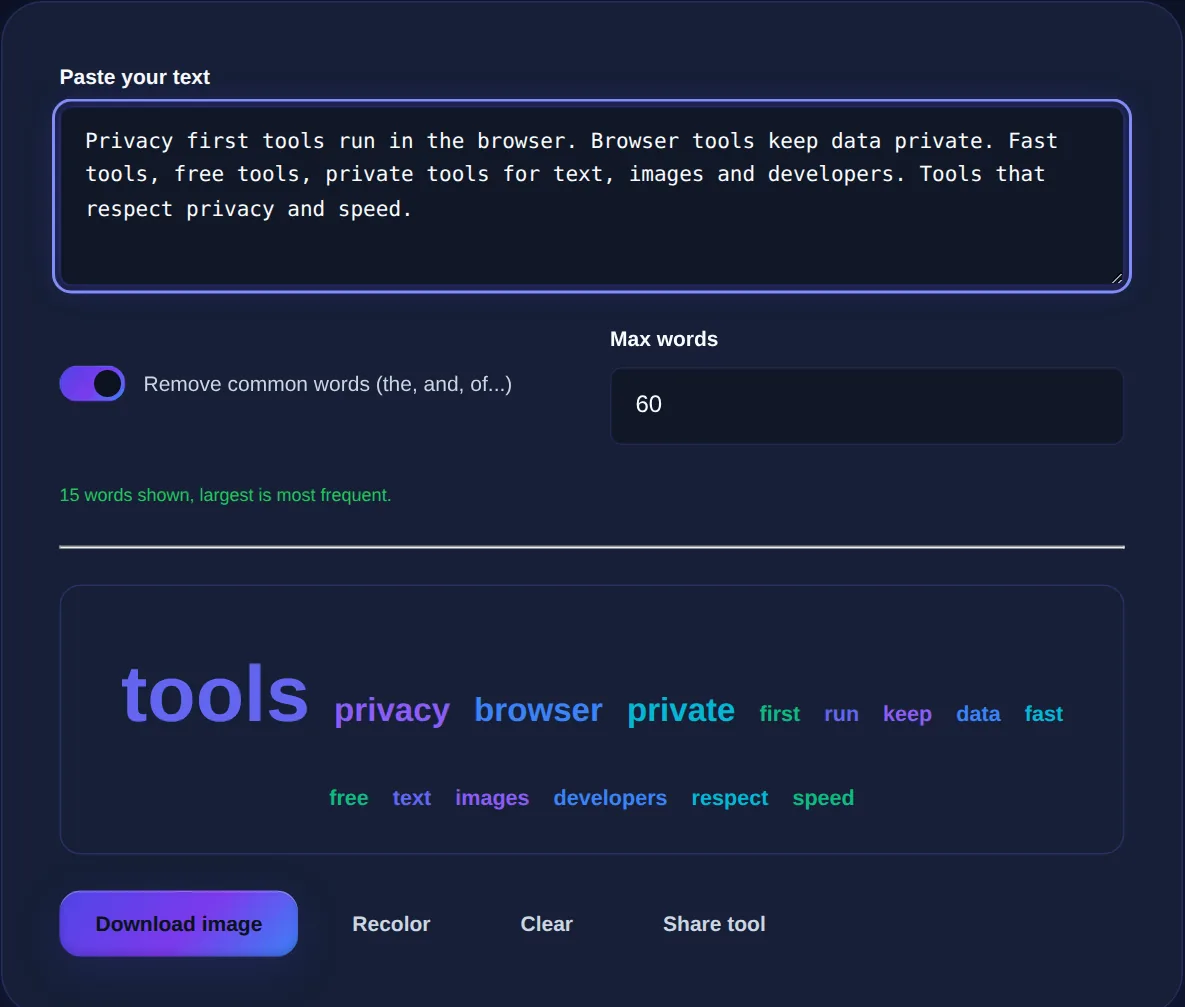
The idea is simple: count how often each word appears, then draw each word at a size proportional to its count. The word used most often is the largest, the next most common are a little smaller, and rare words are tiny or left out. That is the whole mechanism. Because size maps to frequency, your eye is drawn to whatever the text keeps returning to, which is why a cloud is such a fast way to get the gist of a hundred survey responses or a long thread of feedback without reading every line.
Building it takes three steps that the tool does for you: split the text into words, count how many times each one appears, and scale the font size between the least and most frequent so the biggest word is clearly dominant and the smallest is still readable.
Why stop words are the crucial step
Here is the catch that makes or breaks a word cloud. In almost any English text, the most frequent words by far are the little structural ones: the, and, of, to, a, in, is. They are the plumbing of the language, and they carry almost no meaning about the topic. If you count raw frequency and stop there, your cloud will be dominated by the and and, telling you nothing except that the text is written in English.
The fix is to remove these stop words before counting. Strip them out and the words that actually carry the subject rise to the top, so feedback about a checkout process surfaces words like payment, slow and confusing rather than the and to. This is why a good generator filters stop words by default and only keeps them if you specifically ask, and it is the single biggest factor in whether a cloud is insightful or useless.
| Approach | Top words shown | Useful? |
|---|---|---|
| Raw counts | the, and, to, of, a | No, just grammar |
| Stop words removed | payment, slow, checkout, error | Yes, the real themes |
How the sizing works
Once the meaningful words are counted, the tool scales them between a minimum and maximum size. The most frequent word gets the largest size, the least frequent among those shown gets the smallest, and everything in between is placed proportionally. A cap on the number of words keeps the cloud readable: showing the top sixty or so keeps the important words legible instead of cramming in a long tail of words that appeared once. Raising or lowering that cap trades completeness against clarity, and for most texts a few dozen words tells the story.
Paste any text and get a cloud sized by word frequency with stop words filtered out; adjust the maximum number of words, recolour it, and download the result as a PNG image.
What a word cloud does not show
A cloud is a quick overview, not an analysis, and treating it as more than that is where people go wrong. It shows frequency, which is not the same as importance: a crucial point made once appears tiny, while a filler word used often looms large. It shows no sentiment: the word delay is drawn the same whether people love or hate the delay. And it shows words in isolation, so a phrase like not good is split into two words and its meaning is lost, which can even invert what the text actually said.
A word cloud is best as a first glance that tells you where to look, not as evidence on its own. If checkout is large, that is a prompt to go and read the checkout comments, not proof of what people think about it. Pair it with actually reading a sample.
Where word clouds are genuinely useful
- Survey and feedback triage: spot the recurring themes across hundreds of open-text responses before you read in depth.
- Meeting and interview notes: surface the topics that dominated a long discussion.
- Presentations and reports: a visual summary slide that captures a body of text at a glance.
- Content checks: see which words you lean on most and whether your key terms actually stand out.
Common questions
What are stop words and why remove them? They are extremely common words like the, and and of that dominate any raw count; removing them lets the meaningful words show through, and you can turn the filter off if you want them included. Can I download the cloud as an image? Yes, once it is built you can download it as a PNG to drop into a slide or report. Does a bigger word mean a more important one? Only more frequent, not more important, frequency and importance are not the same, so read the underlying text before drawing conclusions. Is my text uploaded? No, the text is analysed entirely in your browser and never leaves your device.
A word cloud is a fast, honest frequency picture as long as you remember what it is: a pointer toward what to read, made useful by removing the words that carry no meaning. Build one in the Word Cloud Generator, get exact counts with the Word Counter, and when you are checking how heavily a page leans on a term, the Keyword Density Checker measures it precisely.